 Massi
MassiReceipt in. Spending in order.
Massi is a private expense tracker and receipt scanner for Android. Scan a receipt, check the lines and save: the purchases land in the right categories. Your data stays on your phone.
Massi is coming to Google Play soon: testers get it first. Android. The receipt reader currently works best with Finnish receipts. Screenshots show the Finnish app.
What Massi does

Scan a receipt
Photograph a receipt or share a picture with Massi. It reads the products, prices and discounts and checks that the lines add up to the total.

The right categories
Massi remembers which category a product belongs to and suggests it next time. It comes with a starter list of about 5,700 Finnish products.
How Massi works
No black box. This is the whole chain from the picture to the saved purchase, and every step happens on your phone.
On the left an illustration of a receipt, on the right a screenshot from the app. The figures are example data.
Your phone reads the picture
The receipt's text is read on your phone by Google's text recognition. The picture never leaves the phone and is not stored.
Massi's own rules sort the lines
The rules recognise the receipt's structure: the shop, the date, the products, discounts, deposits and the total. They are tuned on real Finnish receipts. No chatbot and no guessing on a server.
The sum is checked
Massi adds up the line prices and compares them with the receipt's total. If the numbers do not match, you see it at once and can fix a price before saving.
Massi remembers you, not others
First it looks whether you have already taught Massi the product. Otherwise the category is suggested from word lists and counting. When Massi is not sure, it shows a few options, and your choice is remembered on your phone. What you taught it always wins: updates only fill in what you have not taught it yet.
What leaves your phone?
Your purchases, receipts and products stay on your phone. Massi needs no account and no bank login.
If you want to help Massi learn, you can allow a weekly sending of receipt lines. It is off until you choose otherwise, and you see exactly what would be sent beforehand: the shop's name, the product lines and the prices. No address, cashier name or loyalty number is sent. I use the lines to improve the rules for every Finnish receipt.
The choice is always yours. You can change it at any time in Settings.
Made in Finland
Massi is made by one person: me, Santeri. I make it in Finland, for Finnish receipts. Your feedback comes straight to me (Massi.support@gmail.com), and every missing shop or wrongly read line is a valuable clue.
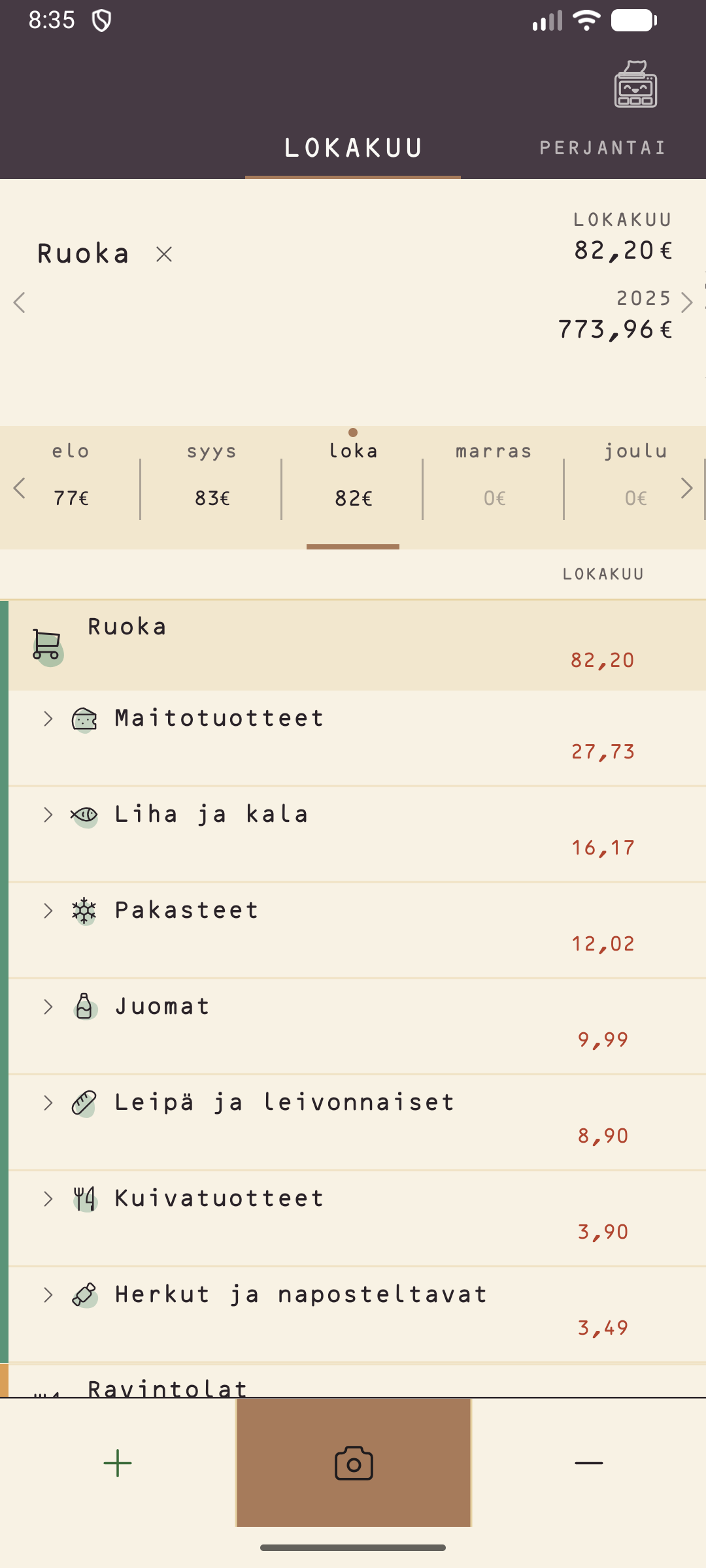
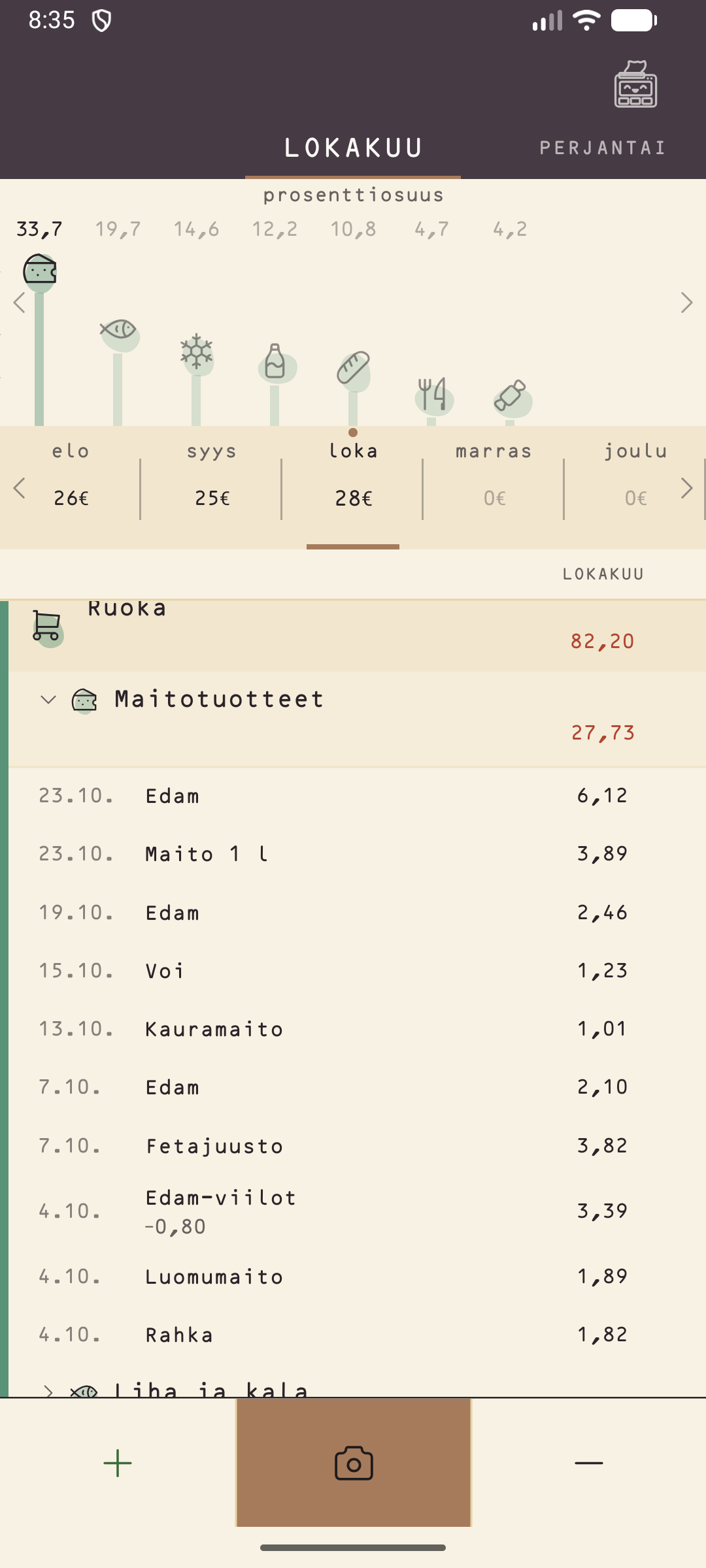
How much do you spend on cheese? Bread? Coffee?
Massi saves every purchase with its product, so you can see how much you spend on what you actually buy, month by month. “82 euros on food” is rarely precise enough. Massi shows how much of it went to dairy, bread or drinks.
Screenshot from the app. The figures are example data.
Why Massi
Easy start
No account and no login. Open the app and add your first purchase.
Private
Entries, products and receipts stay on your phone. Nothing is sent without your permission.
Repeating payments
Rent, salary and subscriptions are booked automatically, or after asking you, when their day comes.
Backup
Save everything to one file in a folder you choose, and restore it whenever you need to.
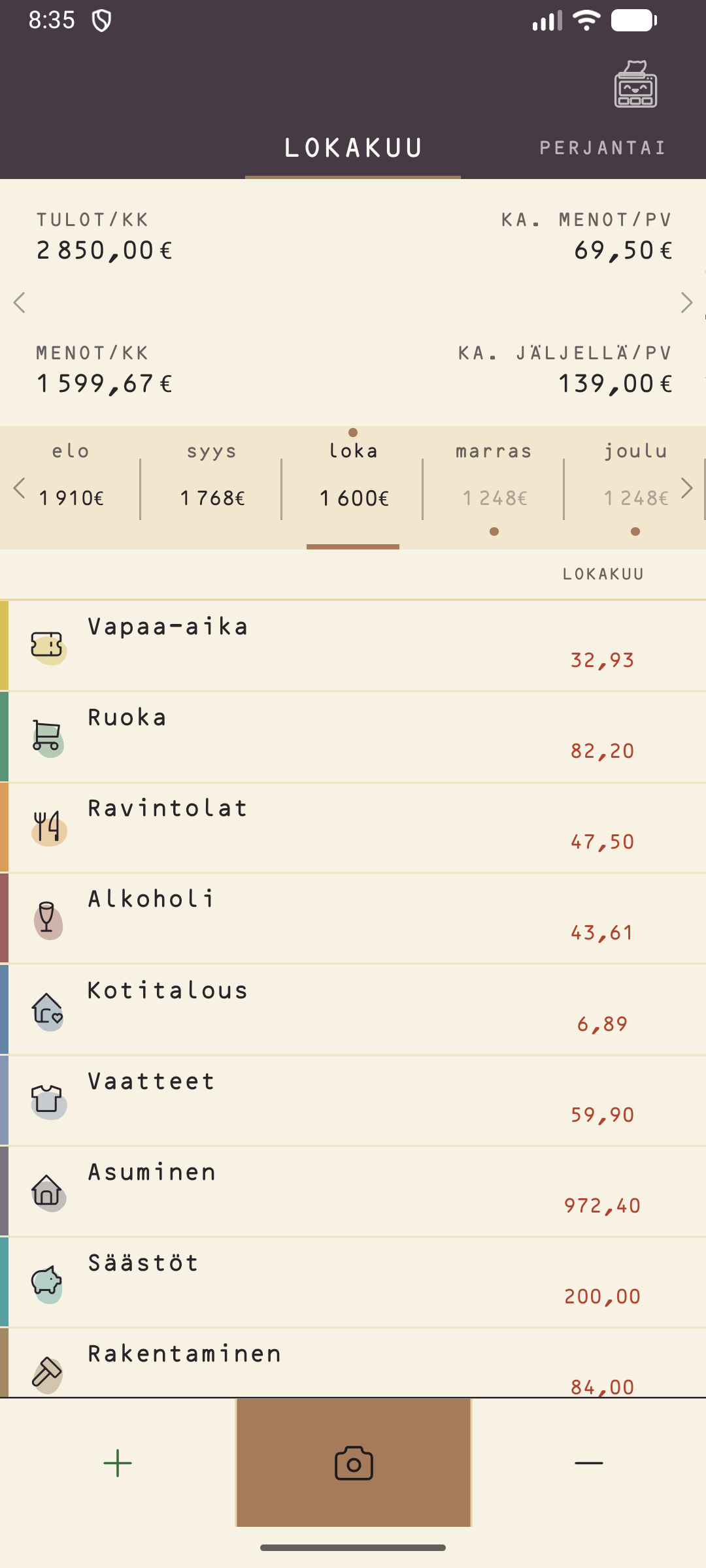
See your spending at a glance
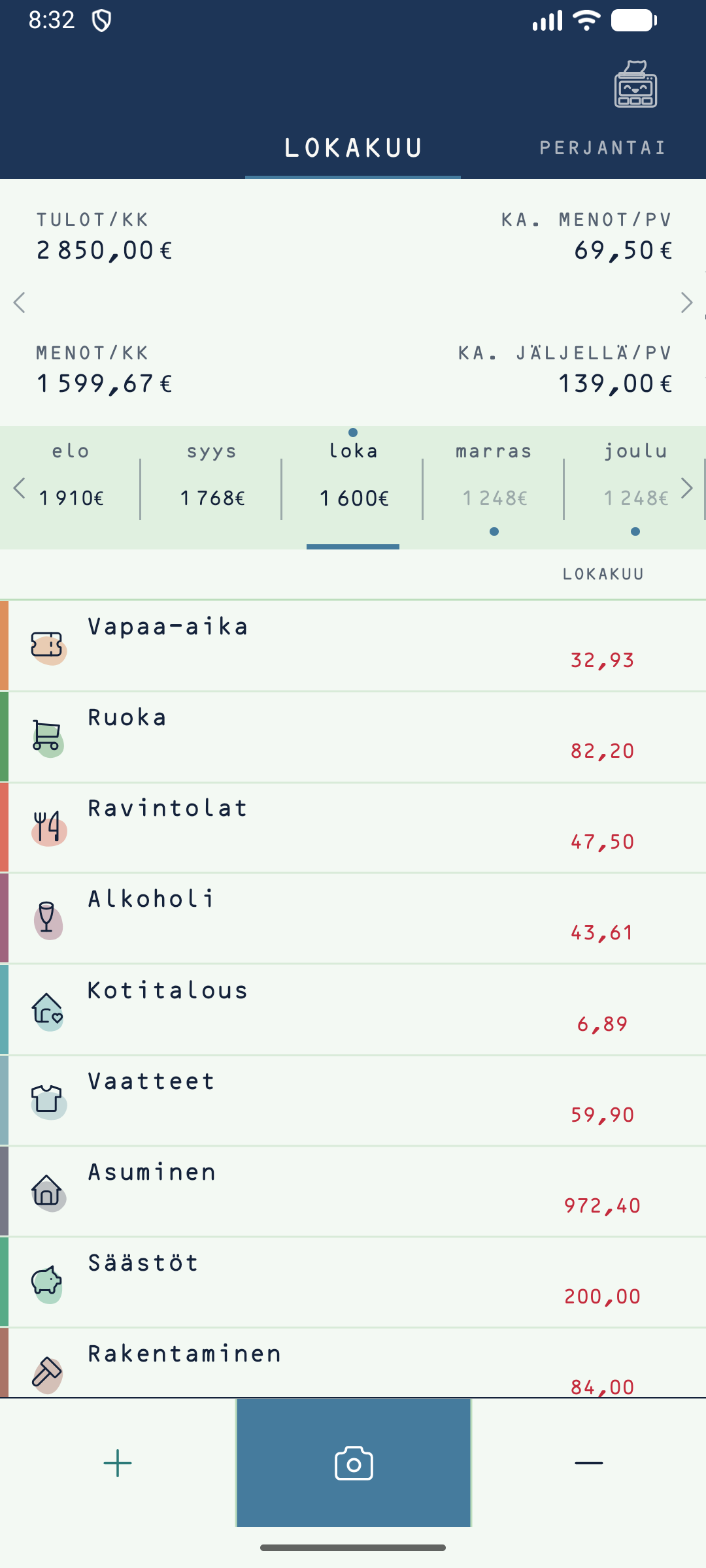
The line shows spending month by month, the bars show where your money goes. Swipe the card sideways to see both.
Become a testerScreenshot from the app. The figures are example data.
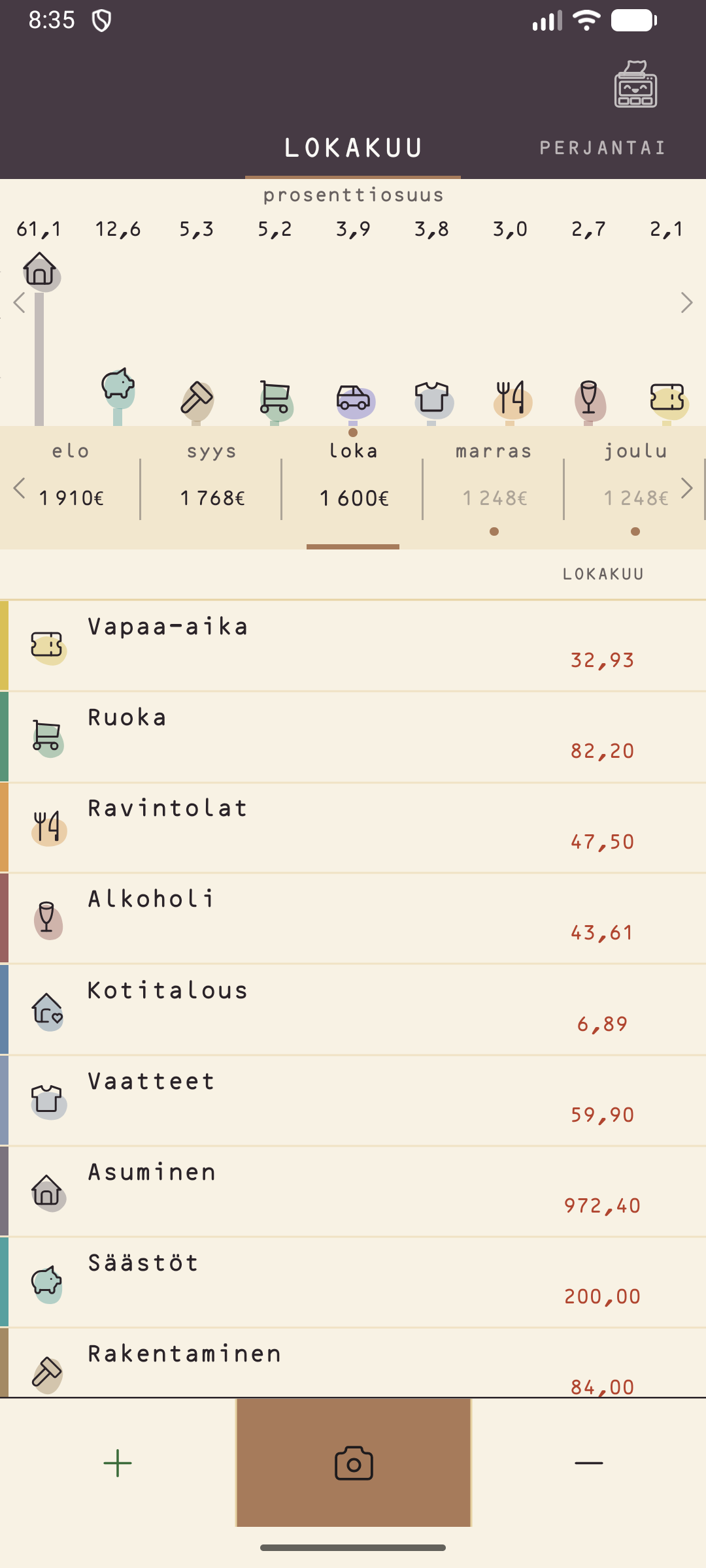
Swipe, and the card changes
The card at the top shows the numbers, and one swipe turns it into a line of spending month by month. Another swipe shows where your money goes, as bars by category. The list stays in place, so you see the numbers and the picture at once.
The same swipe works between day, week and month: the words at the top slide aside and the date ribbon follows.
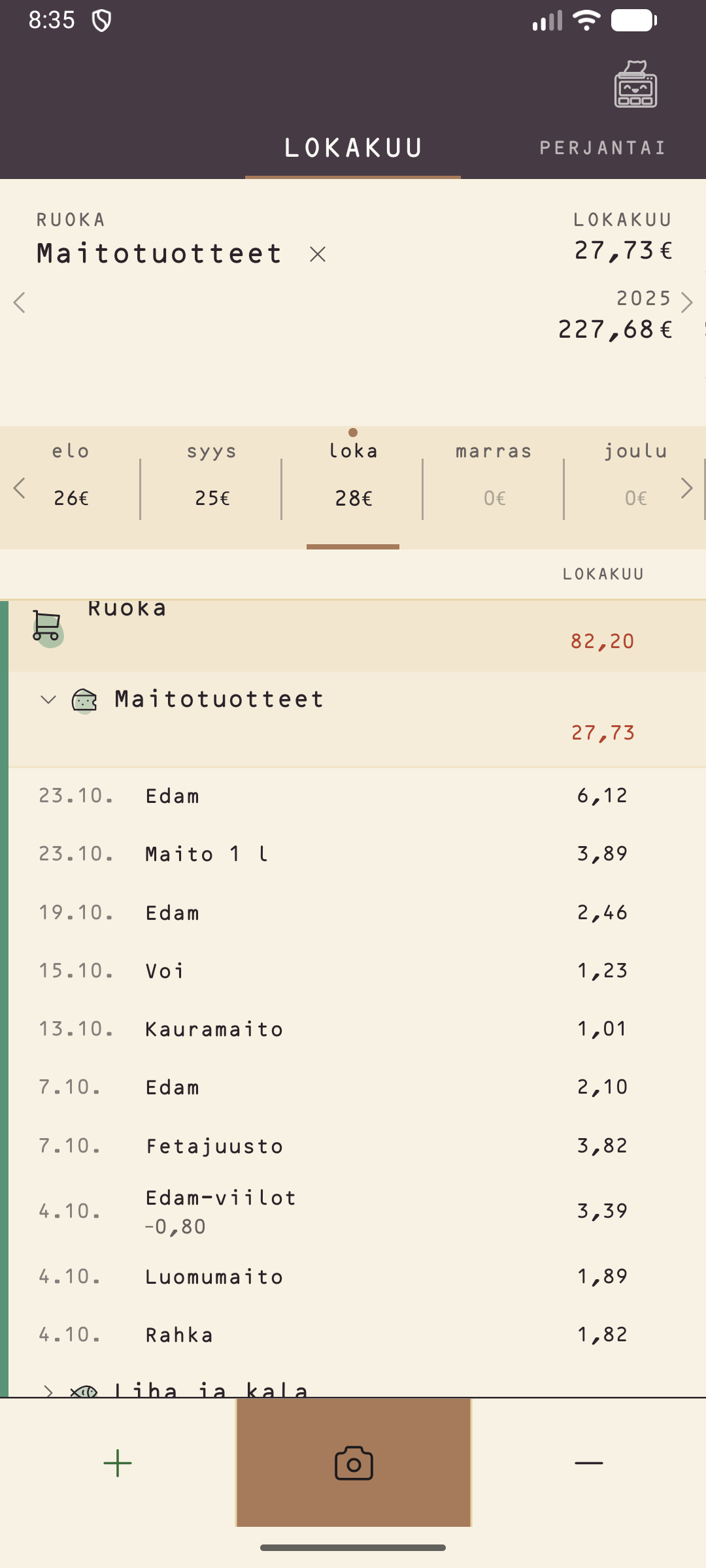
From category to product
Open a category and a subcategory to see every purchase with its product, for example all the dairy of the month. Tap a product and the card and chart follow only that one.
The picture shows example data.
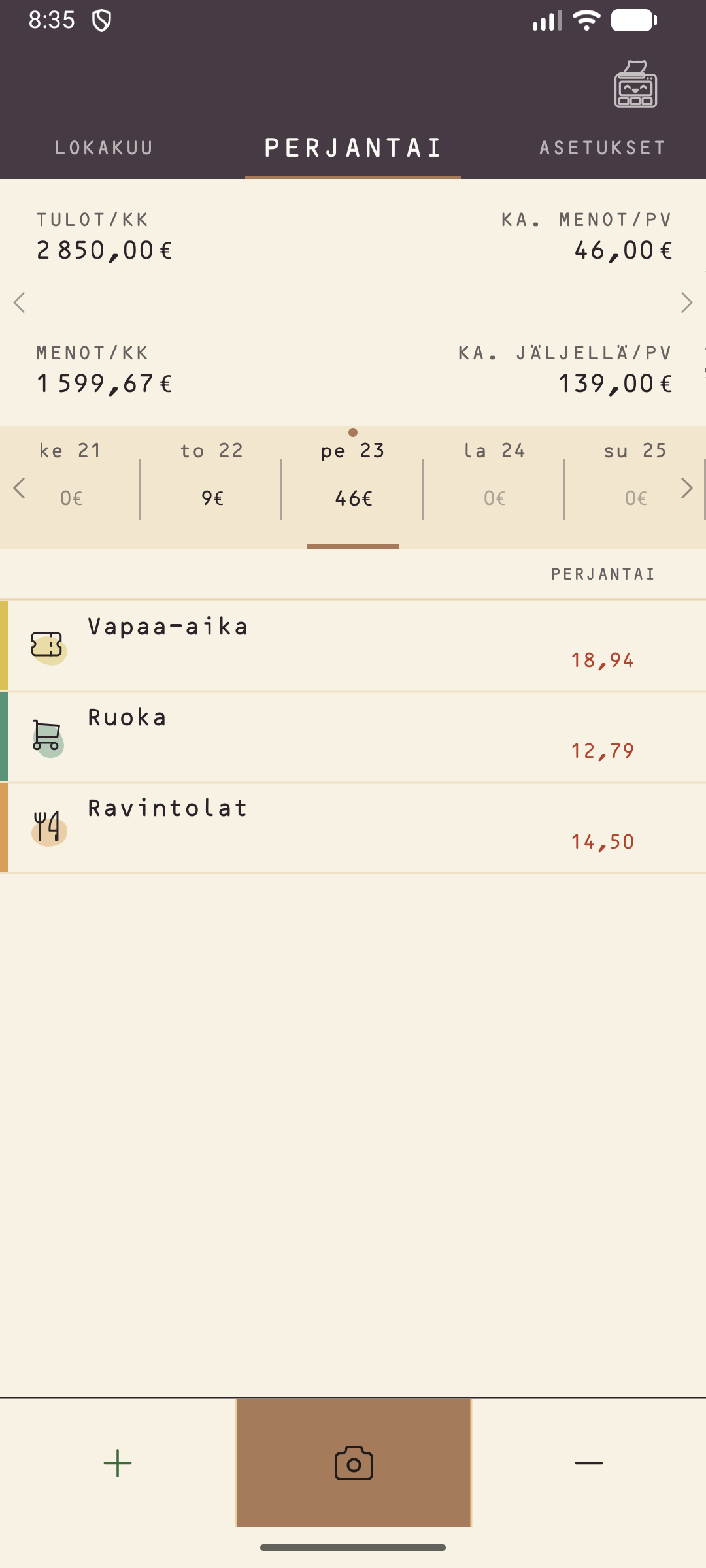
From day to month
Swipe the words at the top to switch between day and month. The name of the day shows at the top, and the date ribbon moves with it.
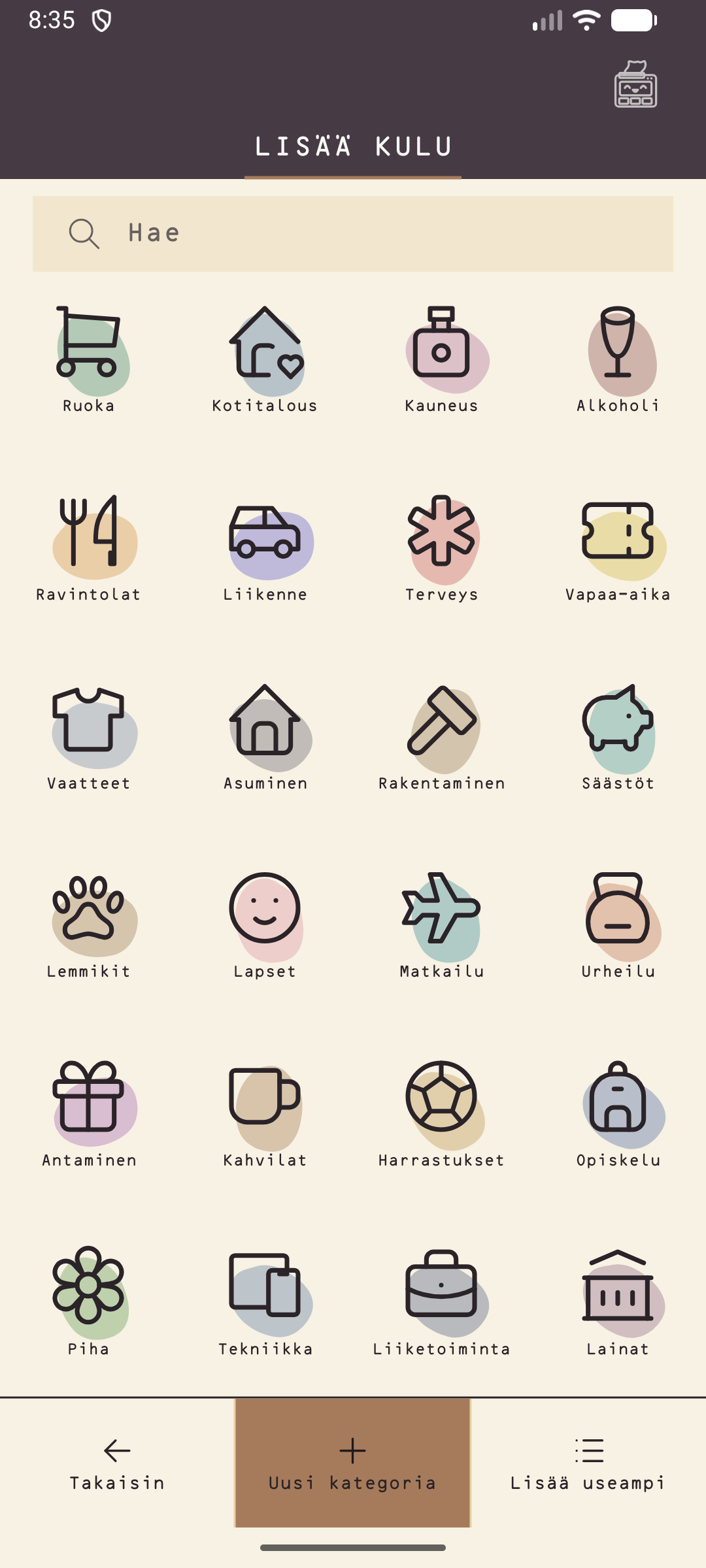
Add a purchase in seconds
Pick a category, a product and the amount. The keypad does the sums, and the camera reads the receipt when you do not feel like typing.
Pick your own colour
Massi is a calm paper colour, but you can change it once on the General page. Five colours: Paper, Sea, Forest, Plum and Black and white. A theme changes the top bar, the buttons and the highlights.
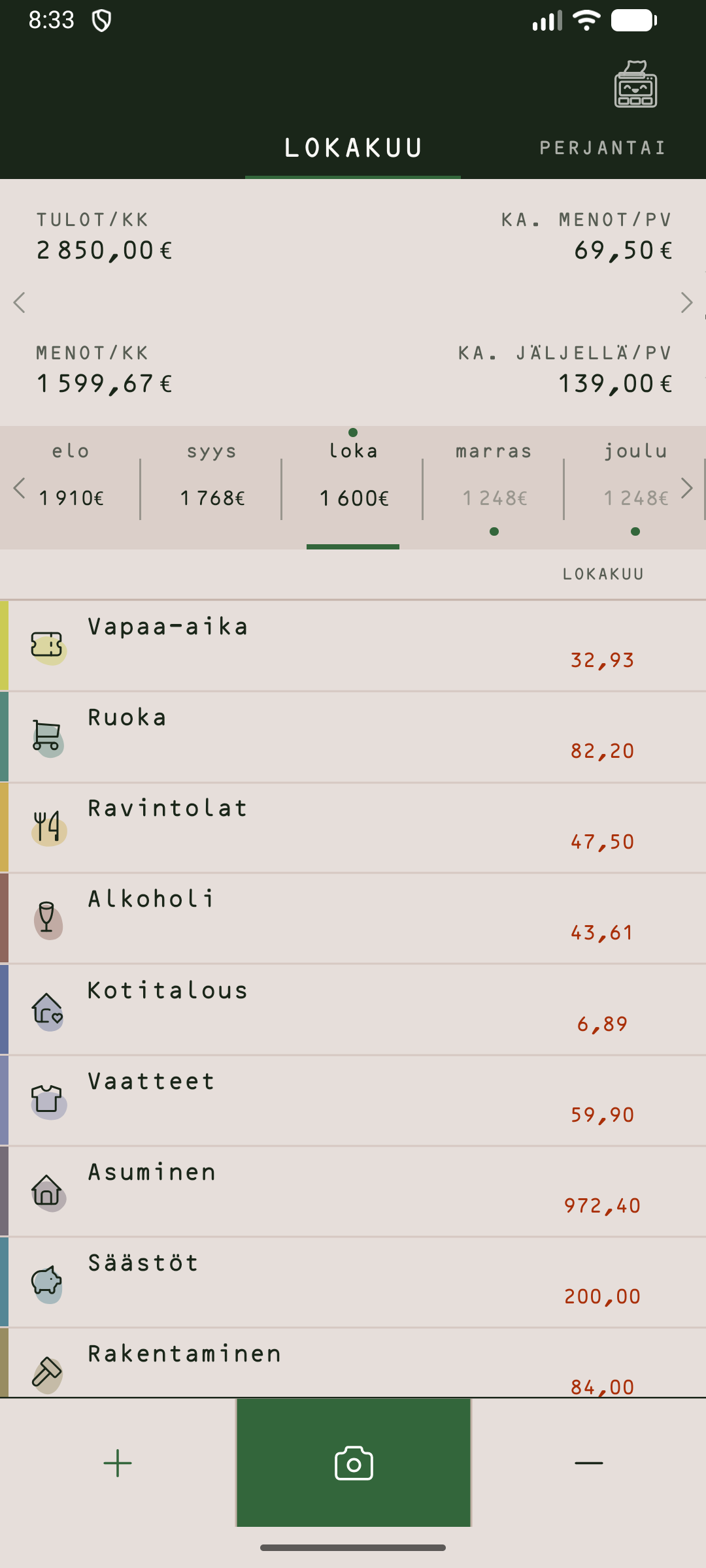
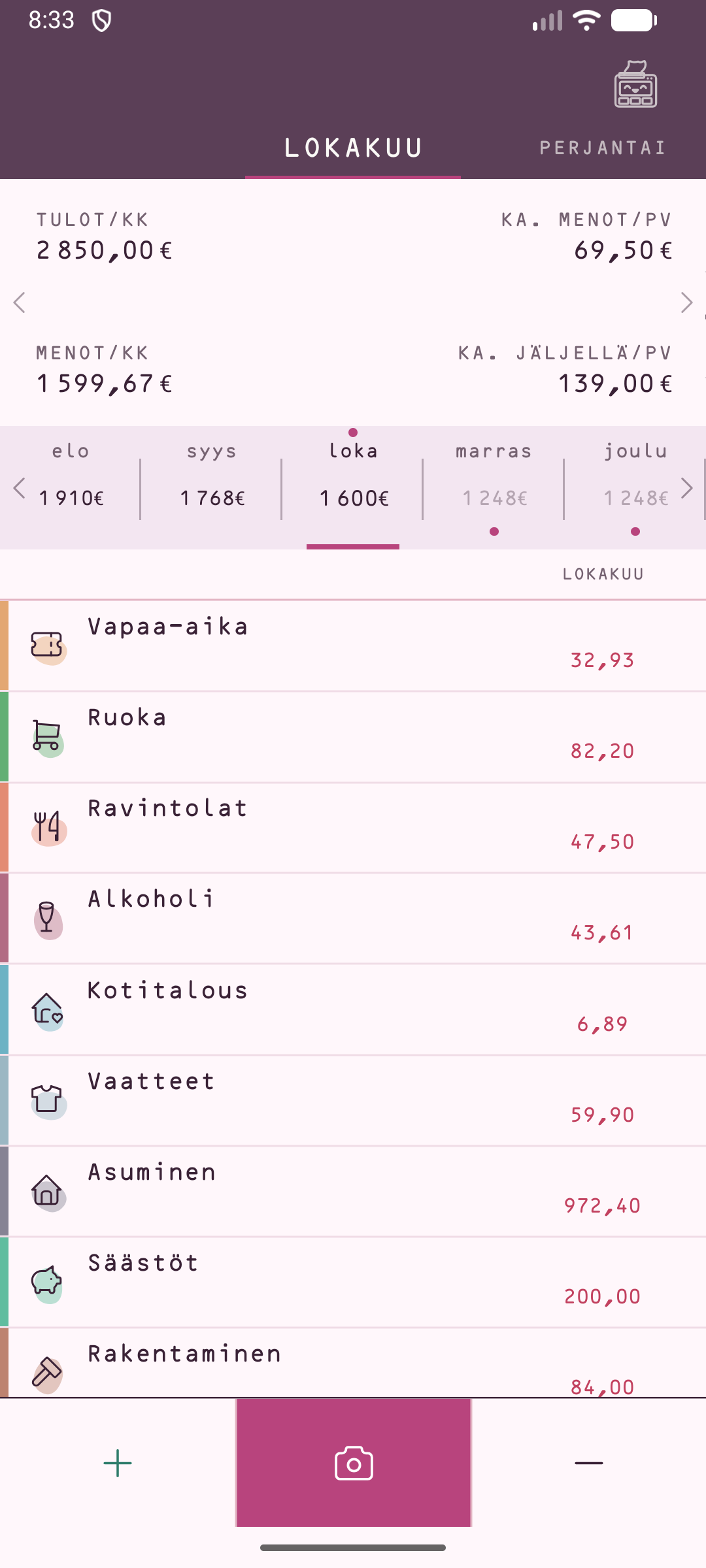
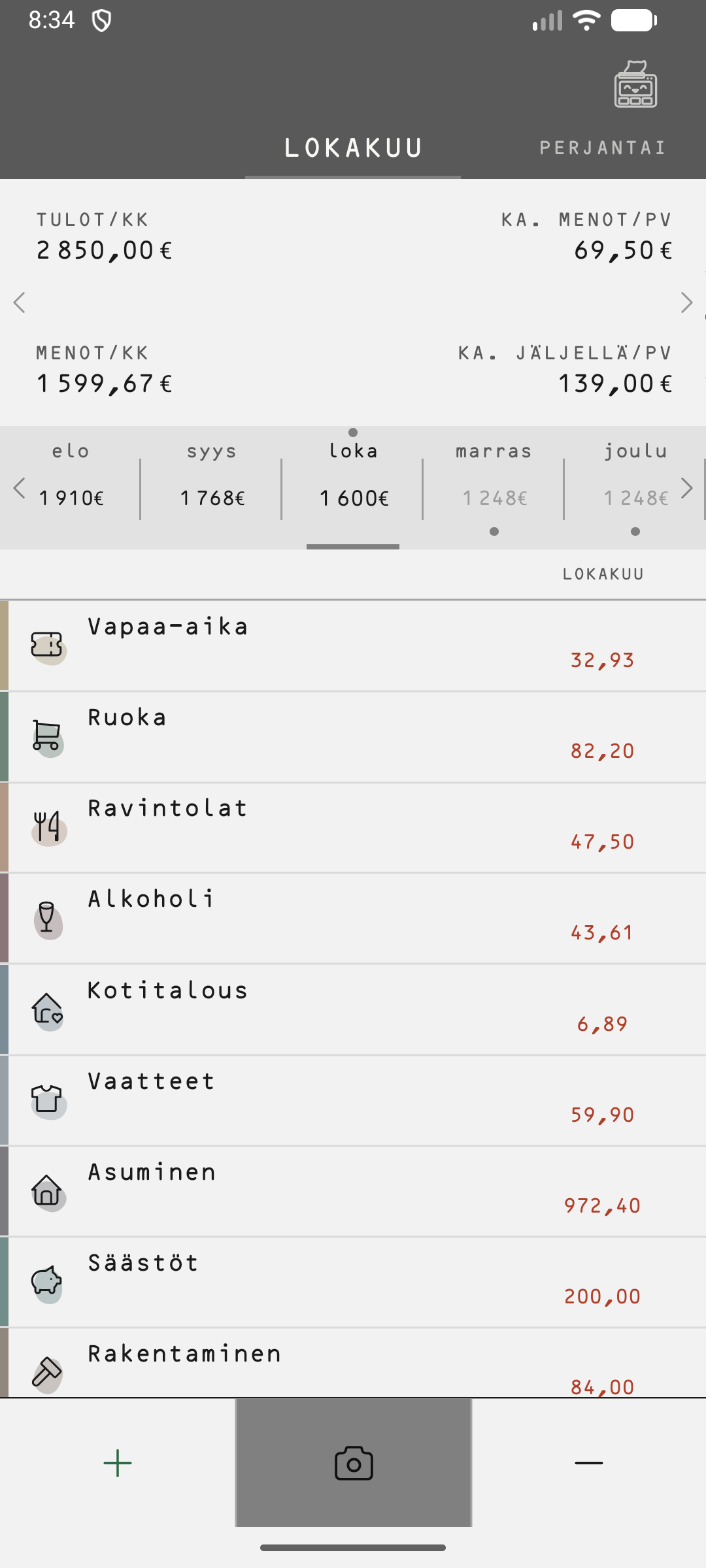
The full Massi
Lite is simple. The full version brings everything else: credit and loans, goals, budgets and your own charts. Join the waiting list and we will email you once, when it is ready.
- Credit and loans
- Goals and FIRE
- Budgets
- Your own charts
- Share a picture
- Calculator
- Widgets
- Savings
Frequently asked questions
Does my data go anywhere?
Not by default. Entries, receipts and settings are stored only on your phone. After your first scanned receipt Massi asks once whether it may send, weekly, what it read from your receipts (never your entries) so that the reader can be improved. You can say no, or change your mind at any time. See the privacy policy.
What is the difference between Lite and the full version?
Lite is simple: receipts, categories, the day and month views, repeating payments and backup. The full version adds credit and loans, goals, budgets, charts and shareable pictures. It is in development: join the waiting list.
Does Massi work with receipts from other countries?
The receipt reader is built for Finnish receipts. Receipts from other countries may not be read correctly yet. You can add entries by hand anywhere.
What if I change phones?
Make a backup in Massi, move the file to the new phone and restore it. You can also turn on the automatic backup.
Is Massi free?
Yes.
How do I send feedback?
Write to Massi.support@gmail.com or use the Feedback tile in the app. If a receipt was read wrongly, tell us, so the reader can be improved.